HIRING

Address
Experience Level
Genres Your Open To
Drag & Drop Files, Choose Files to Upload You can upload up to 12 files.
Drag & Drop Files, Choose Files to Upload
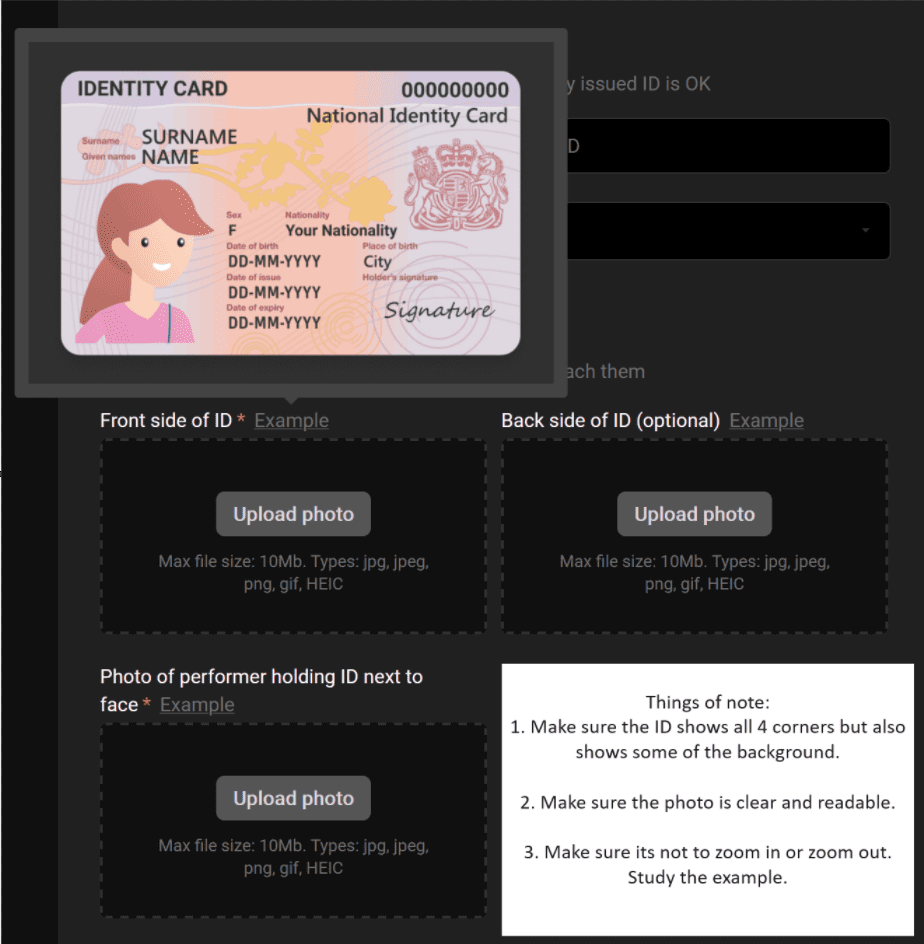
Things of note: 1. Make sure the ID shows all 4 corners but also shows some of the background. 2. Make sure the photo is clear and readable. 3. Make sure its not to zoom in or zoom out. Study the example below.
Drag & Drop Files, Choose Files to Upload
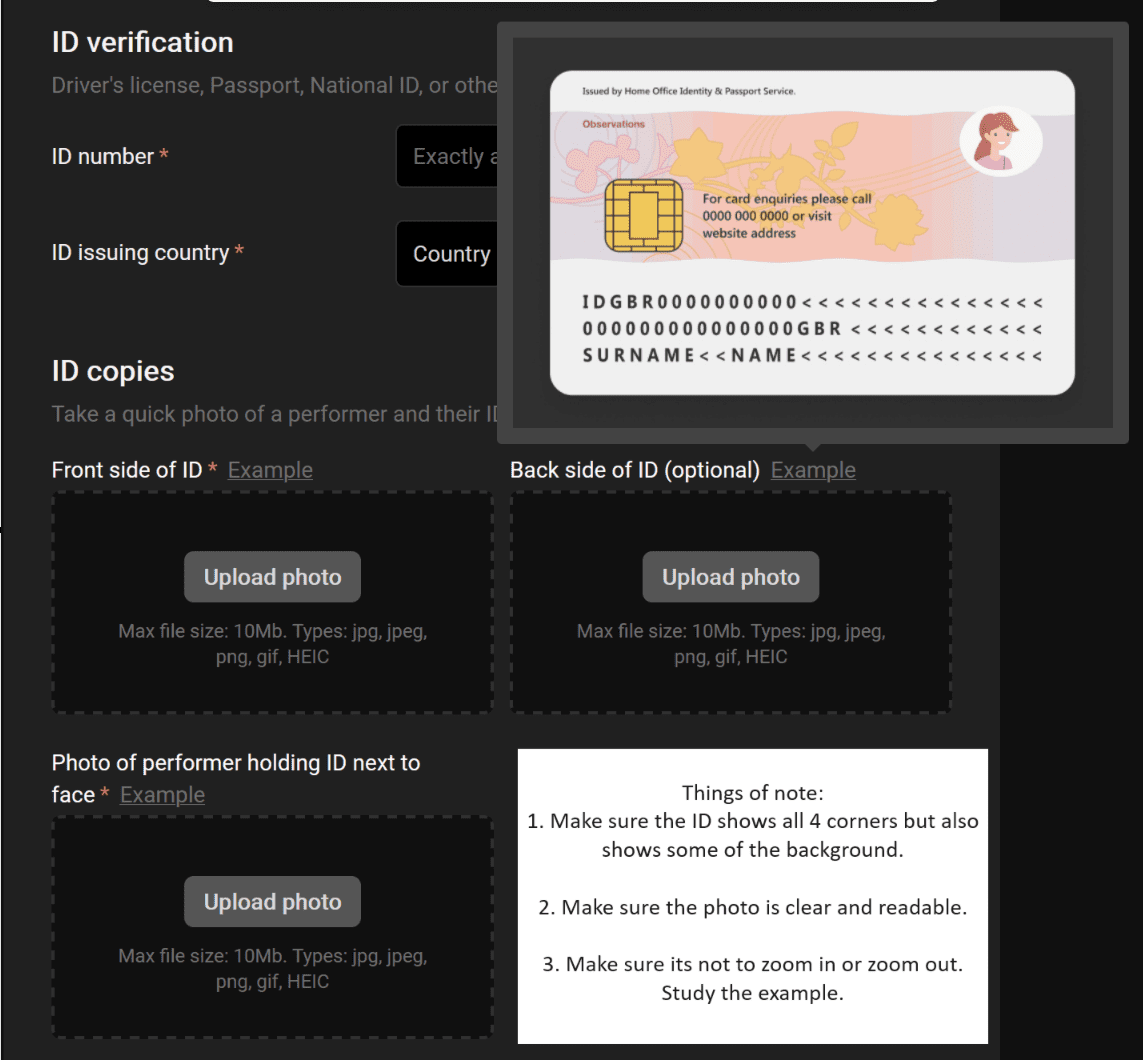
Things of note: 1. Make sure the ID shows all 4 corners but also shows some of the background. 2. Make sure the photo is clear and readable. 3. Make sure its not to zoom in or zoom out. Study the example below.
Drag & Drop Files, Choose Files to Upload
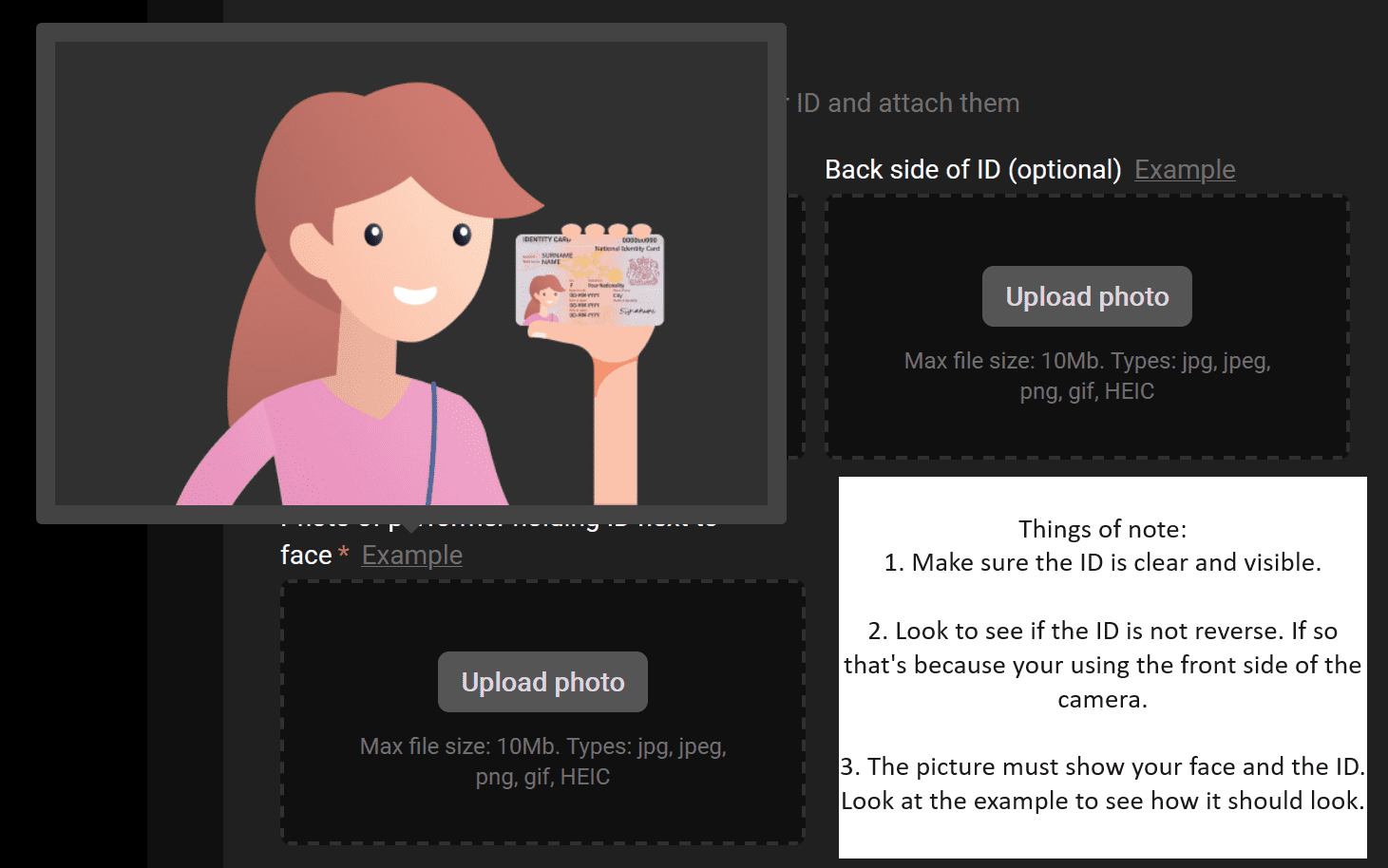
Things of note: 1. Make sure the ID is clear and visible. 2. Look to see if the ID is not reverse. If so that's because your using the front side of the camera. 3. The picture must show your face and the ID. Study the example below.

Example ID Upload (FRONT SIDE)
Example ID Upload (BACK SIDE)
Example ID Upload (HOLDING ID NEAR FACE)